Information about cheat
Melonity — a full-fledged cheat client for Minecraft with its own modules and an advanced settings system, designed both for casual gameplay with advantages and intense HVH battles. The client works stably on most popular servers, including FT, RW, HW, Spooky and others. Melonity offers over 100 features, each with flexible parameters for different scenarios. The Combat section includes customizable Aim Assist, automatic attacks, projectile dodging, bow spam and other combat abilities. The Movement tab provides advanced mobility: acceleration, mid-air jumps, water walking, parkour, flight control and safe movement. Render is not just ESP, but a complete visual customization system. The client displays players, blocks and items, allowing you to adjust brightness, colors, sky, shaders, inventory and extended information output, including timers and server events. The Player section and auxiliary modules offer gameplay automation: X-Ray for ancient debris, FreeCam, ChestStealer, Nuker, AutoTool, SafeWalk, FastBreak, AutoRespawn and dozens of other useful functions. Additional features include autoscripts for farming, trading, clans, auction, potions and macros, as well as an advanced system of configs, themes and interface customization. Melonity is a universal Minecraft client with maximum control and flexibility.
Features
System Requirements
- Operating system: Windows 10, Windows 11 (21H2, 22H2, 23H2, 24H2, 25H2)
- Processor: AMD & Intel
- Video card: AMD & NVIDIA
- Client: Minecraft servers up to version 1.21.3
Combat
- KillAura – auto-attacks targets with critical hits; adapted for FT, RW, HW, Spooky; can shield, break defenses, correct movement, and slow enemies
- AimAssist – assists aiming with flexible distance, turn speed, and smoothing
- TriggerBot – auto-attacks enemy when crosshair is on them
- NoFriendDamage – prevents damage to friends added via .friend command
- ProjectileHelper – aims at flying projectiles with visual rotation
- BowSpammer – automatically spams arrows from a bow
- ElytraHelper / ElytraAura – elytra combat assistance and autopilot via .gps
- AutoGapple / AutoTotem – auto-eats golden apple or equips totem before death
- AutoCrystal / AutoDodge – places end crystals and dodges projectiles
- PearlTarget – throws pearl to enemy's teleport location
- Hitbox / Surround / AntiMiss – enlarged hitboxes, cobweb trap, and prevents missed swings
Movement
- AutoSprint / Sprint / Speed / WaterSpeed – automatic sprinting and movement speed boosts
- AirJump / DragonFly / ElytraFly – mid-air jumping and enhanced flight control
- ElytraRecast – abuses elytra activation to increase speed
- Jesus / NoVelocity – walk on water and remove knockback
- NoEatSlow / NoSlowDown – removes eating and action slowdowns
- Parkour / Spider – auto-jump at edges and faster wall climbing
Render (ESP & Visuals)
- HUD / PlayerESP / ItemESP / BlockESP – full info display on players, items, and ores through walls
- GlowESP / ShaderESP / TargetESP / TargetHUD – glowing outlines, shader effects, and target info
- Circles / JumpCircles / 3D Particles / Nimbus – decorative visual effects
- SeeInvisibles / Predictions – see invisible players and predict trajectories
- SwingAnimation / ViewModel – smoother animations and hand/item position changes
- WorldTime / FullBright / FogColor – change time of day, brightness, and fog
- Schedules / TNTTimer – FunTime server event tracker and TNT explosion timer
- NoRender – removes fire, totem animation, lightning, chat background, and other effects
- CustomInventory – changes survival mode inventory appearance
Player
- AutoWindCharge / AutoTool / AutoRespawn – wind charge attacks, auto tool switching, and auto respawn
- AncientXRay / DeathCoord – find ancient debris and track death coordinates
- FastBreak / ChestStealer / Nuker – faster block breaking, auto loot, and auto-break
- FreeCam – fly in spectator mode without moving real character
- SafeWalk / AutoSave / GuiMove – prevent falls and move with inventory open
- AutoLeave – auto-leaves server when a player enters specified radius
- NoInteract / NoServerRotation / NameProtect – block interactions, disable forced rotations, hide nickname
- RegionViewer / Timer – region radius display and game speed boost
Additional Features (Misc)
- Languages / Themes / UI Customization – multi-language menu, visual themes, and interface tweaks
- Macros / Macro Wheel / Import & Export – create, manage, and share macros
- Configs / Config Code / Favorites – save, load, and share cheat configurations
- Aspect Ratio – changes screen aspect ratio
- AutoTravel / Mine / Farm / Hunt – automation for movement, mining, farming, and mob hunting
- AutoAccept / AutoAuth / AutoBuy – auto-accept TPs, auto-login, and auction auto-buy
- AntiAFK / AuctionHelper / CreeperFarm – prevent AFK kick, highlight cheap items, auto-farm creepers
- ClanUpgrade / PotionBot / ServerAssist – auto clan upgrades, potion brewing, and server-specific tools
- TPSync / PotionsHighlight / ToggleSound – TPS sync, potion slot highlighting, and toggle sounds
- InstaRespawn / MiddleClickPearl / ItemSwapFix – instant respawn, pearl throw, and item desync prevention
- NoPlayerTrace / ItemScroller / Block Manager – zero hitboxes, fast item transfer, and Baritone block selection
Software Manual
Step-by-step instructions for Melonity cheats:
- After successful payment, you will receive a key to activate access to the cheat, a link to this page, and a link to the loader.
- Prepare to download and run the loader:
- Completely disable Windows Defender (Real-time protection). We strongly recommend using Defender Control (password:
sordum). - Uninstall other antivirus software as they may prevent the software from launching correctly.
- Completely disable Windows Defender (Real-time protection). We strongly recommend using Defender Control (password:
- Log in to your Melonity account. Create a new account or log in to an existing one using the links sent after payment.
- Select your game during authorization. You can switch between games in your account and loader.
- Activate your key: click the promo code activation button, paste your key, and click "Activate."
- Download the Visual C++ Redist x64 packages from the page and run as administrator.
- Click "Download Launcher" on the same page.
- Place the launcher in the root of your C drive (e.g.,
C:\Melonity). - Run the launcher file as administrator and wait for all files to load, then log in to your account.
- Select your game, then click "Start Playing." The launcher will launch the game and close.
- The Melonity software menu will appear in the game's main menu.
- The cheat has been successfully launched! The menu can be opened/closed with the Insert key.
Error FAQ
Common errors and solutions:
- The most common issue is Windows Defender/Antivirus being enabled. Completely disable Windows Defender and uninstall other antivirus software.
- Update Visual C++ libraries — download from the official Microsoft link.
- Update DirectX — download from the official Microsoft link.
- FaceIt and Riot Vanguard anti-cheats installed on your PC also interfere with the software. Remove them via Add or Remove Programs.
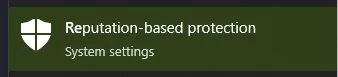
- You must also disable Reputation-Based Protection: open START, search for "Reputation-Based Protection," and disable all options in the window.
- If the software still does not launch, try running the loader with a VPN enabled due to server connectivity issues.