
System Requirements
- Requires USB flash drive!
- OS: Windows 10 (1809 – 23H2), Windows 11 (21H2 – 25H2)
- CPU: Intel, AMD
Aimbot (Aim)
- Enable Aimbot – enables aimbot on players
- Aim Key – aim activation key
- Only Enemy – aim only at enemies (ignore teammates)
- Ignore Knocked – ignore knocked enemies
- Nearest Bone – aim selects the bone closest to crosshair
- Recoil Control – recoil compensation (RCS)
- Prediction – accounts for target movement (lead)
- pSilent – improved silent aim without visible camera movement
- FOV – aim radius (aim active zone)
- Smooth – aiming smoothness
- Jitter – adds micro-shake to crosshair for masking
- Linear / Bezier / S Curve – aim movement curve types
Visuals (Players ESP)
- Enable Visuals – enables all ESP
- Box – enables player boxes (full, corners)
- Distance – shows distance to player
- Nickname – displays player names
- SnapLines – draws ESP lines to players
- Skeleton – displays player skeleton
- Weapon Name – shows weapon in player's hands
- Glow – enables player model glow
- Health Bar & Armor Bar – shows player health and armor level as a bar
- Spectator list – list of spectators watching you
- Max Distance – max ESP rendering distance
Loot ESP (Items)
- Enable Loot – enables loot display
- Death Box – shows player loot boxes
- Icon Loot – displays items as icons
- Ammo – Light, Energy, Shotgun, Heavy, Sniper ammo
- Backpack & Armor – shows backpacks and armor (filter by item level)
- Weapons – display special, energy, heavy weapons
- Magazines – energy, heavy, light, shotgun, sniper magazines
- Attachments – scopes, stocks, suppressors
- Medical & Utility – medkits, grenades, boosters
- Max Distance – max loot rendering distance
Radar Hack
- Enable radar – enables on-screen radar
- Zoom – radar zoom level
- Max Distance – max radar detection distance
- Pos X & Pos Y – radar horizontal and vertical position
Guide to Using HV Software
This page contains the installation guide for Mason Apex Internal, Mason Apex Full, Mason Apex Lite Axe Rust Lite, Axe Rust Rage Mason Rust Full, Mason Rust Internal, Mason Rust Lite, Mason Arma 3, Mason Dayz, Mason EFT, Mason Fortnite, Mason Squad, Mason Arma Reforger, Mason DBD, Mason Unturned, Mason External ARC Raiders, Mason Hunt Showdown, Mason ABI Spoofer.
A simple step-by-step guide for the Mason Hack software:
After purchase, you will receive an activation key for the cheat, a link to this guide, and a link to the loader.
First, you need to prepare for downloading and launching the loader:
Preparation:
- Completely disable Windows Defender (Real-time protection). If you have other antivirus software installed on your PC, we recommend removing it as it may interfere with the proper operation of the software.
- We strongly recommend disabling Windows Defender using the Defender Control program, which you can download from this link. Archive password - sordum.
- Launch the game without the cheat and set the screen mode to "Borderless" or "Windowed". The software does not work in "Fullscreen".
- Completely uninstall the following software from Control Panel (Add or Remove Programs): Faceit AC, Riot Vanguard, GameGuard, ACE (AntiCheatExpert). These anti-cheats interfere with cheat software.
- For Rust Lite only - in the Rust game settings, make sure to enable “OCCLUSION CULLING”.
Injection Steps:
- Download the loader using the link you received along with this guide and your key.
- Place the loader in a separate folder on a USB flash drive. The folder name must contain only Latin characters and digits.
- Run the loader file as administrator.
- Paste your key into the loader window and activate it.
- Select your application from the list and click "Start".
- Wait for the loader window to close. If successful, it will show a confirmation with a checkmark and then close. A reboot prompt will appear.
- Click "Yes" and restart your computer.
- After rebooting, launch the loader again as administrator, select your game from the list and click "Start".
- Wait for the loader to close automatically and be sure to remove the USB flash drive from the PC.
- You can now launch the game.
In-Game Activation:
- Wait until the main game menu is fully loaded.
- For most Mason cheats, you can open the menu immediately by pressing the corresponding key (Usually "HOME").
- For Mason Apex Internal, press F8 in the main menu to inject; the menu can then be opened or closed by pressing F2.
- For Mason Rust Internal, press and hold the F2 key in the main menu for 3 seconds to complete the injection.
- In Axe software, the menu is opened by pressing the "Insert" key. There is no menu in Mason Apex Lite and Mason Rust Lite!
Mason Rust Lite Notes:
- After loading the main menu of the game, just go to the server, the software is activated automatically.
- Immediately after turning on ESP in Rust Lite shows many non-existent objects, wait about 10 minutes - all false ESP will gradually disappear.
- ESP in Rust Lite only works during the first session on the server, if you want to change the server or go to the server again - you will have to restart the game and inject the cheat again.
- To disable the software, simply turn off "OCCLUSION CULLING" in the game settings.
Mason Apex Lite Notes:
- F1 - turn on/off WH.
- The software features only work in an online match, WH will not work in the shooting range (training).
Using Configs
Brief guide on how to use custom configurations for Mason Hack (Saving and loading your cheat settings):
- After successfully launching the software, configure it from the main menu or in-game.
- Go to the "CONFIGURATION" tab and click "Save config to clipboard".
- Your unique settings code is now copied to the clipboard. Save it in a text file or somewhere safe.
- For future sessions, copy your config code and click "Load config from clipboard" in the "CONFIGURATION" tab to load your settings.
FAQ / Troubleshooting
Common issues and their solutions:
- Antivirus: The most common issue is Windows Defender or antivirus being enabled. Fully disable Defender as previously mentioned and remove any third-party antivirus software.
- Dependencies: Update your Visual C++ libraries. You can download them here. Also update DirectX, available here.
- Anti-cheats: Anti-cheats like FaceIt and Riot Vanguard prevent cheat operation. Uninstall them via Control Panel.
-
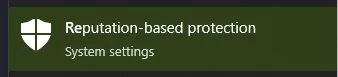
Reputation-Based Protection: To run the cheat, disable Reputation-Based Protection:
Open the Start Menu and search "Reputation-based protection". In the opened window, turn off all options.
- Display Mode: Ensure the game is set to "Windowed" or "Borderless" mode. Mason cheats do not work in "Fullscreen" mode.
- System Clock: If your system clock is incorrect, sync it via Windows Settings. Press Windows + I, go to Time & Language", and under "Clock sync" click "Sync".
- ESP Distortion: If ESP looks distorted, set your screen scale to 100% in display settings and ensure your game resolution matches your screen resolution.
- Connection Issues: If the software fails to connect to servers, try running the loader with a VPN enabled.
- Core Isolation: Disable Core Isolation: open Start Menu, search "Core Isolation", and disable all options.
- Secure Boot: Also, disable Secure Boot in BIOS for proper cheat operation.
- Virtualization: Ensure virtualization and Hyper-V are enabled in BIOS and Windows.